Mini Chef Says
A downloadable game for Android
Mini Chef Says is a therapy-based game for children. It's tailored for neurodivergent children, especially children with ADHD. This game challenges children's focus, memory, and impulse control. It may sound like this game is only made for special-needs children, but it really is suitable for everyone! After watching the demo or played the game, please fill up the questionnaire below. I appreciate it so much for helping me improving this game :D
https://forms.gle/eXtMthDxvjUUztuR9
--—ABOUT THE GAME—--
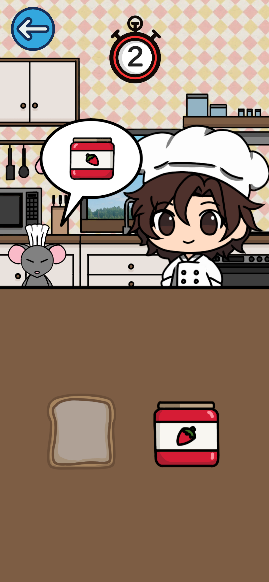
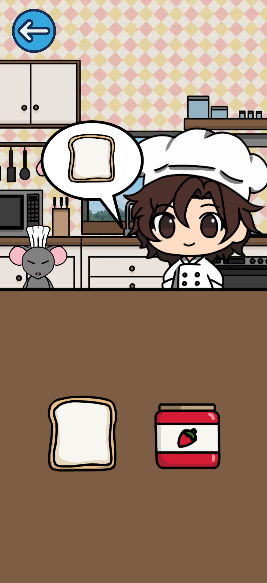
The game is quite simple, the player needs to follow the chef's instruction and ignore mouse's instruction. For example:
"Chef says, toast" - the player need to click on the toast.
"Mouse says, toast" - the player need to ignore the mouse for 3 seconds.
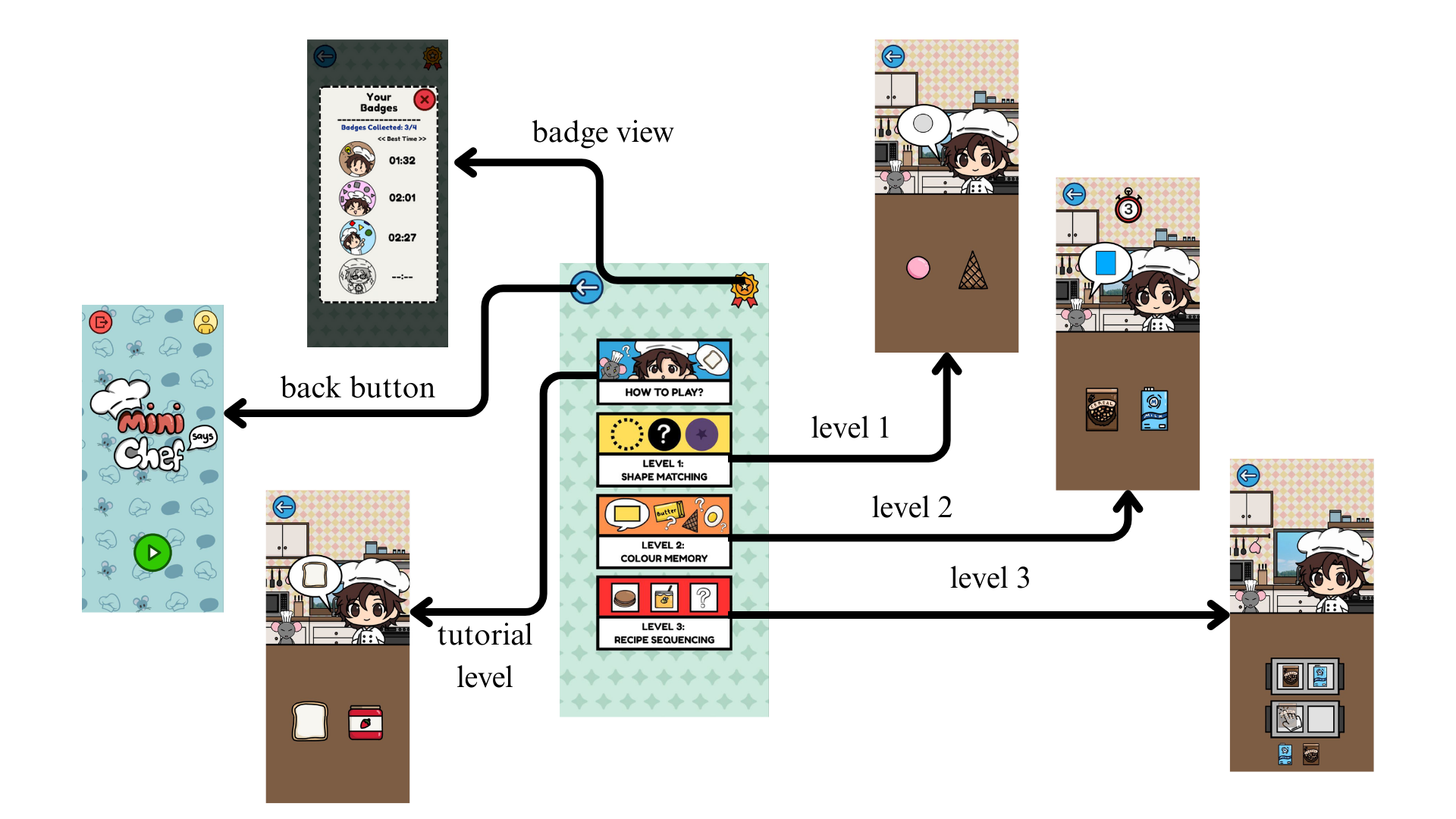
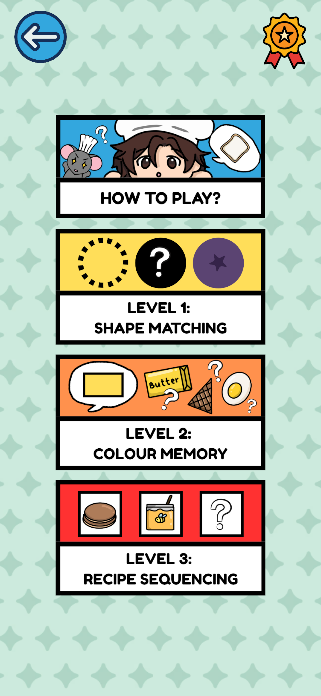
There are 4 levels in the game:
1. Tutorial Level = a simple introduction to the player, letting them explore and understand the concept of the game.
2. Level 1: Shape Matching = the same concept as the tutorial level, but the chef and mouse will ask for the shape instead. The player need to click on the ingredients that resembles the shape.
3. Level 2: Colour Memory = same concept applied as the previous levels. However, the player need to click on the ingredients that resembles the colour and shape the chef asked.
4. Level 3: Recipe Sequencing = a slight different in the game, the player need to drag the ingredients to its place (in the tray) according to its original sequence.
Parent's supervision is highly recommended. The safety code of this game is '1234' to avoid the children accidentally deleting any player's name (in the game's player profile) or accidentally about to quit the game. IMPORTANT: To ensure the child remains focused on the therapy session and does not accidentally exit the game or access other applications on the device. This feature works alongside the in-game Safety Code to provide maximum security:
Note: These steps only need to be done once on an Android device. This feature may not be available in all device.
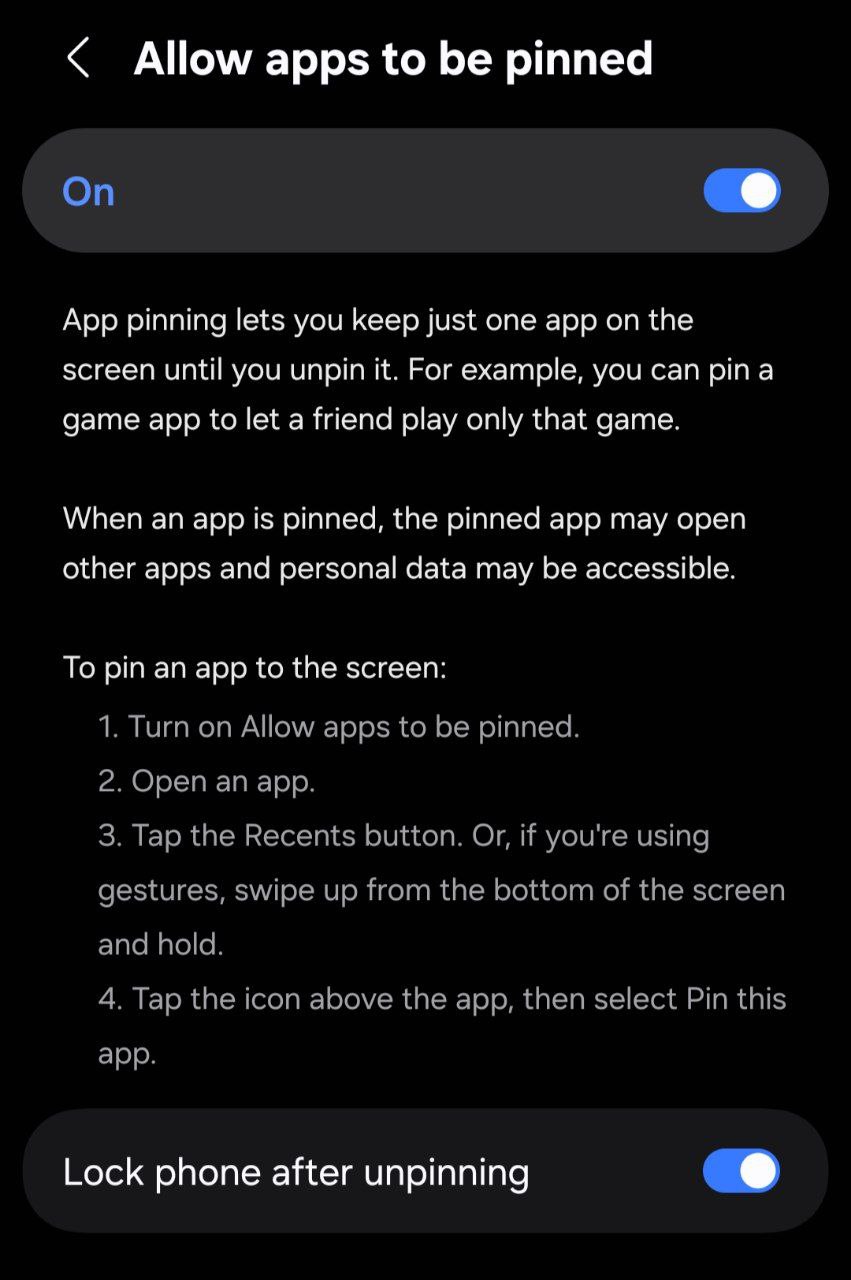
1. Open the Settings app on the Android device.
2. Go to Security (or Biometrics and Security > Other Security Settings).
3. Scroll down and tap on App Pinning (or Screen Pinning).
4. Toggle the switch to ON.
----------------------------------------------------------
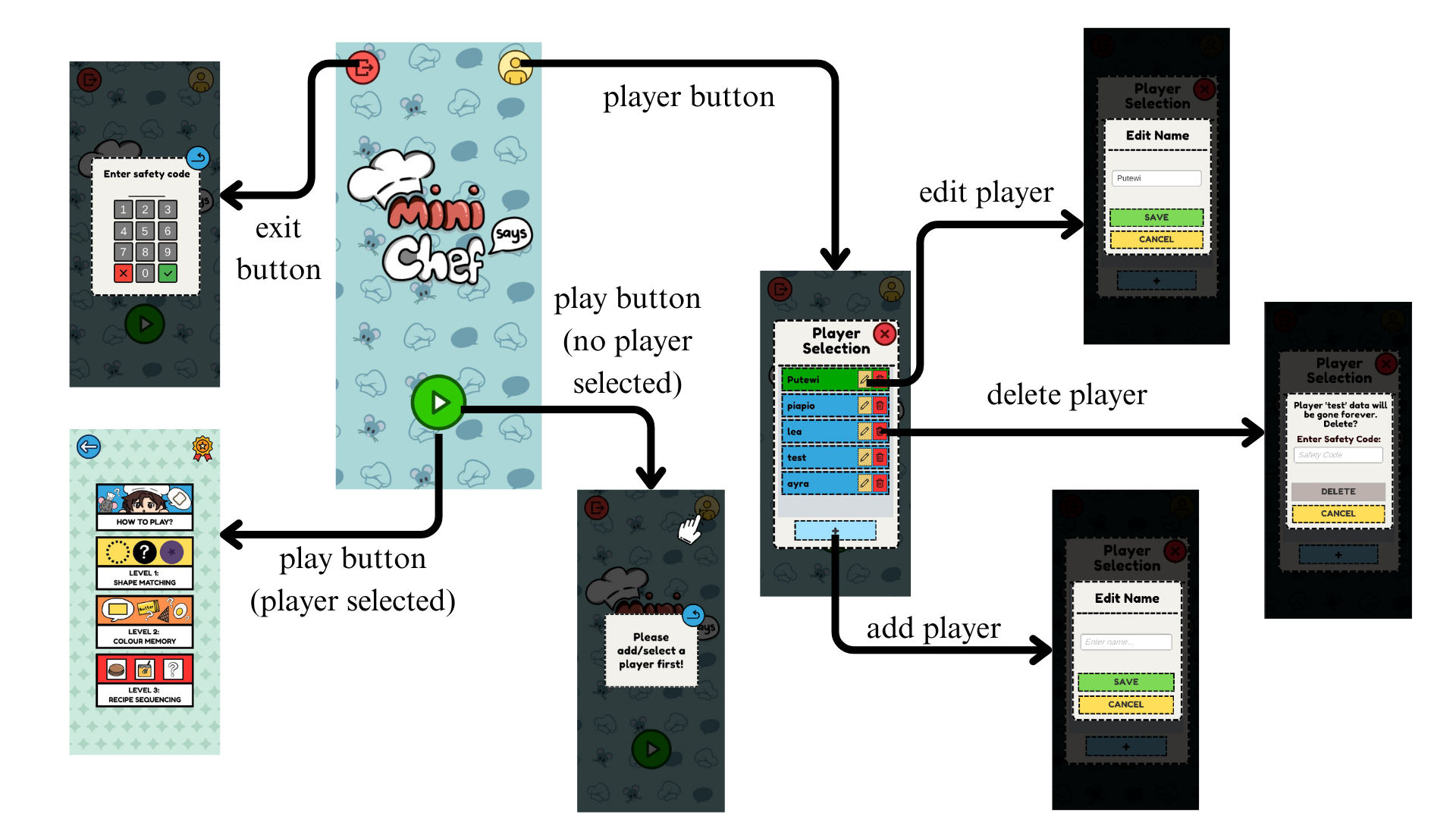
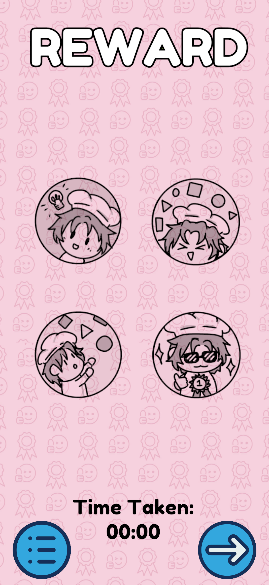
The images below show the walkthrough of this game so that you won't miss out any features of this game!
Download
Click download now to get access to the following files:

Leave a comment
Log in with itch.io to leave a comment.